

Is It a Crazy Alloy? by Kay Patterson is licensed under a Creative Commons Attribution-ShareAlike 3.0 Unported License.


 oooh AND spider webs!


 I'm going to post this set of free stencils today and then tomorrow I'm going to take a break and have a chat about the product I used most in developing the stencils and one I use everyday. Filter Forge
This set of stencils is about adding light or the illusion of light at least - I worked with flares of light the other day and on this post I'd like to share beams of light.
I'll continue the following day with some more intricate beams and a set of organic patterns by some eight legged friends.
I'm going to post this set of free stencils today and then tomorrow I'm going to take a break and have a chat about the product I used most in developing the stencils and one I use everyday. Filter Forge
This set of stencils is about adding light or the illusion of light at least - I worked with flares of light the other day and on this post I'd like to share beams of light.
I'll continue the following day with some more intricate beams and a set of organic patterns by some eight legged friends.


 Also last week I started off a picture using the stylised trees and a sky and the hills - it became clear to me that we needed some birds so as a special sunset treat I have here 3 stencils of birds winging their way home for the evening.


 These last stencils with the birds on were made using Ron's Brushes
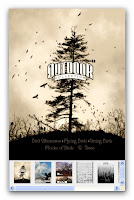 Which is a great product and if you need a lot of birds to compliment your outdoor scenes then you will get them here at a very reasonable price.


 Here are some flares so you can add lights stars and solar flares to your artrage images. You can use these with the heavenly bodies that I put up earlier or any other images you are creating in artrage. If you put them to good use I would love to see your work. Happy Creating.


 There are only 3 here but I'll make it up by adding some solar flare stencils before I get to bed.
 Took a few minutes this morning while waiting for my breakfast to settle to have a go with the arty free stencils for artrage posted yesterday. This example here is one of thousands of ways you can use them.
In this one I squeezed some (lots actually - I have been taking tips form blurt) white and pale yellow all over and then used the palette knife to spread it but not smooth it over too much.
Took a few minutes this morning while waiting for my breakfast to settle to have a go with the arty free stencils for artrage posted yesterday. This example here is one of thousands of ways you can use them.
In this one I squeezed some (lots actually - I have been taking tips form blurt) white and pale yellow all over and then used the palette knife to spread it but not smooth it over too much.


 After that I took one of the stencils sized it up to cover my paper and I chose to rotate it too because I fancied the flower at the top right and the stripes at the bottom. I added a layer on artrage so it would be like my bottom layer is dry paint and not wet squishy stuff that would blend with anything new I added -- on this picture I was trying to capture the texture as much as the patterns of the stencils. On the stencil and new layer I squeezed purple paint and spread it with the palette knife.
Then I added a new layer and a different stencil - without removing the first. On these heaped stencils and new layer I painted on black with a roller.
Then I hid the second stencil so I could return to it later in active stencils if I thought I needed to. (I didn't but I didn't know that then!)
Adding another layer I inverted the first stencil I used and using a paint brush with white - I used it again to power up the highlights.
Then I stopped and took a look -- I swapped the black and purple layers and changed their blends - I wasn't working scientifically I just tweaked them until I felt happy.
After that I took one of the stencils sized it up to cover my paper and I chose to rotate it too because I fancied the flower at the top right and the stripes at the bottom. I added a layer on artrage so it would be like my bottom layer is dry paint and not wet squishy stuff that would blend with anything new I added -- on this picture I was trying to capture the texture as much as the patterns of the stencils. On the stencil and new layer I squeezed purple paint and spread it with the palette knife.
Then I added a new layer and a different stencil - without removing the first. On these heaped stencils and new layer I painted on black with a roller.
Then I hid the second stencil so I could return to it later in active stencils if I thought I needed to. (I didn't but I didn't know that then!)
Adding another layer I inverted the first stencil I used and using a paint brush with white - I used it again to power up the highlights.
Then I stopped and took a look -- I swapped the black and purple layers and changed their blends - I wasn't working scientifically I just tweaked them until I felt happy.

 This is what I had when I finished in Artrage it's OK but I wanted to add a bit more bumpiness so I took it into filter forge and added in bit of simple bump and then I decided I liked it and left it as the first picture in this blog entry.
Now I wasn't making this picture for any purpose so now I need to decide what I can use it in. I may use submit it as a card to redbubble, I may add it as a picture on a wall in some 3d Art. I may use it as a posing backdrop for one of my characters - who know I'll let it rest and come back to it in a couple of days and see how react to it then.
This is what I had when I finished in Artrage it's OK but I wanted to add a bit more bumpiness so I took it into filter forge and added in bit of simple bump and then I decided I liked it and left it as the first picture in this blog entry.
Now I wasn't making this picture for any purpose so now I need to decide what I can use it in. I may use submit it as a card to redbubble, I may add it as a picture on a wall in some 3d Art. I may use it as a posing backdrop for one of my characters - who know I'll let it rest and come back to it in a couple of days and see how react to it then.


 In this session of free artrage stencils I'm moving for one night away from the landscaping and the organics to a more arty feel. Don't forget that you can resize, tilt and flip these stencils and sometimes it is interesting to place them on top of one another for further designs.
Have fun with colour and use your layers well.
Let me know if you produce anything with them I'd love to see some of your works.
Tomorrow I'm going to take a look at some heavenly bodies!
In this session of free artrage stencils I'm moving for one night away from the landscaping and the organics to a more arty feel. Don't forget that you can resize, tilt and flip these stencils and sometimes it is interesting to place them on top of one another for further designs.
Have fun with colour and use your layers well.
Let me know if you produce anything with them I'd love to see some of your works.
Tomorrow I'm going to take a look at some heavenly bodies!
 So here is the third part of stenciled landscapes I guess. We have had some smooth rolling hills that you can build up in layers - a variety of skies to use and now for some winter trees -- I do have some more realistic trees I set up as Artrage stencils and an example of those was put out a week or so back (scroll down or flick through the categories or archives and you should unearth those) -- but today I quite like these. These I made today using a snippet filter on filter forge which is on it's last day of sale today
- but if you miss it and you are reading this tomorrow or later than you should give the fully functional trial version a go. It is really useful and a LOT of fun.
So here is the third part of stenciled landscapes I guess. We have had some smooth rolling hills that you can build up in layers - a variety of skies to use and now for some winter trees -- I do have some more realistic trees I set up as Artrage stencils and an example of those was put out a week or so back (scroll down or flick through the categories or archives and you should unearth those) -- but today I quite like these. These I made today using a snippet filter on filter forge which is on it's last day of sale today
- but if you miss it and you are reading this tomorrow or later than you should give the fully functional trial version a go. It is really useful and a LOT of fun.
 Filter forge is marketed as a Photoshop plugin but it works in Paint Shop Pro too and it also runs stand alone so if you don't have either then still try it. I use mine most of the time as a stand alone program and I use if joyfully everyday.
 I gave away some shapes the other day as stencils - some of those may make flowers. I think tomorrow we may move on to a whole new look entirely.
 I hope you have something fun planned for the weekend. Let me know if you try any of the stencils or you wnat any tips with filter forge if you give that a go.
